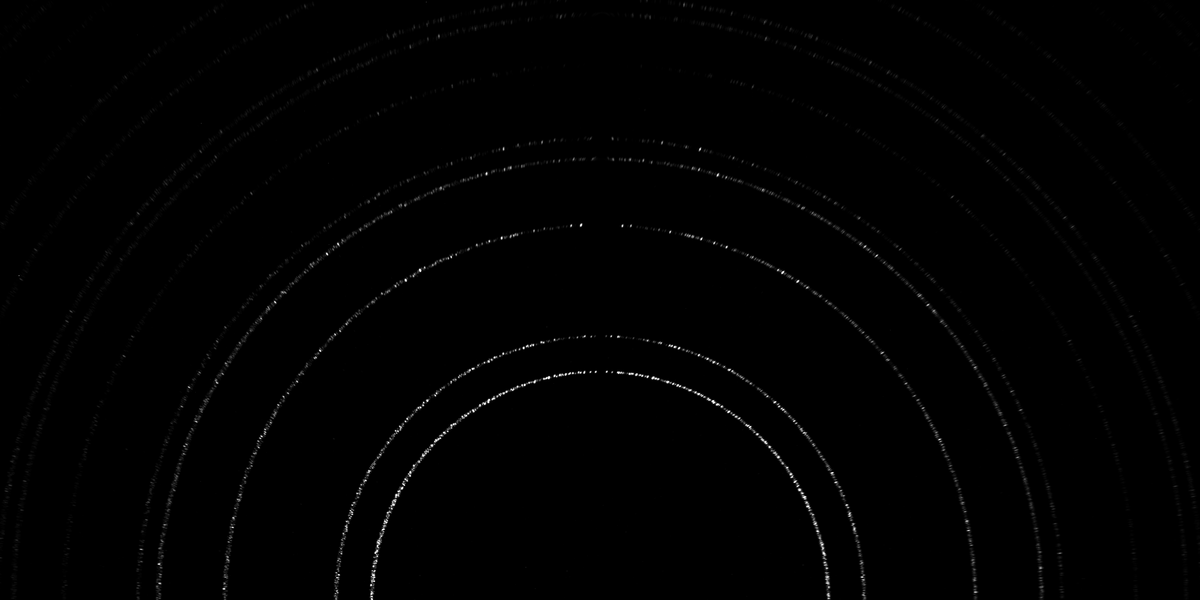
Amorphous Si area detectors manufactured by GE are currently used at APS and CHESS to acquire far-field high-energy X-ray diffraction data. The data from such detectors is stored in multi-frame, 16-bit depth binary images with 8192 bytes of header data. The data files typically have an extension .ge2. Since ImageMagick is able to deal with raw binary images like any other image format, it is possible to easily manipulate ge2 files using the convert command-line utility. I have written a gist that shows some simple ways of processing GE2 images using ImageMagick.
# Miscellaneous Diffraction Image Processing Commands # This file defines aliases for several common image processing # functions for GE2 diffraction images. This uses ImageMagick # program, which is typically available on all Linux and Mac # systems - http://www.imagemagick.org/script/index.php # USAGE: # Copy the contents of this file to the bottom of ~/.bashrc # Run from terminal: source ~/.bashrc # After this, following commands should be available # 1. Convert TIFF to GE. Saves input.ge2 # tiff2ge input.tiff # 2. Convert GE to TIFF. Saves input.tiff (Note: The produced TIFF may seem to have very low # intensity. That is because, GE2 has 16-bit depth. So the intensity # can go from 0 to 65000. Detectors at APS and CHESS generally max out # at 16000 counts. So even high intensity points have only 25% intensity. # You can stretch the intensity range of the TIFF using ImageMagick - # convert -normalize original.tiff bright_output.tiff). If the GE2 file has # multiple frames, TIFF is multipage. You can split TIFF into individual frames # using - convert multipage.tiff frame_%05d.tiff # ge2tiff input.ge2 # 3. Maximum over frames (saves a single frame with maximum intensity. Name: input-max.[ge2 | tiff]) # max_over_frames input.[ge2 | tiff] # 4. Mean over frames (saves a single frame with mean intensity. # Good for creating a dark frame from a sequence. Name: input-mean.[ge2 | tiff]) # mean_over_frames input.[ge2 | tiff] # 5. Extract a single frame from a multi-frame image. Saves multiframe_frame_num.[ge2 | tiff] # extract_frame multiframe.[ge2 | tiff] frame_num # 6. Subtract dark frame from a (single or multi-frame) image. Saves input-dark-subtracted.[ge2 | tiff] # subtract_dark input.[ge2 | tiff] dark_image.[ge2 | tiff] # 7. Show FF data in a parent directory. This lists all ge2 files inside # subdirectories. The output format is such that the GE2 list can be # used e.g. in a heXRD config file. # show_ff_data path/to/parent/directory # # Convert TIFF/PNG etc to GE2 (single or multi frame, works on multiple files) function tiff2ge() { for var in "$@" do echo "Processing : tiff2ge : $var" filename=$(basename "$var") extension="${filename##*.}" filename="${filename%.*}" convert "$var" -endian LSB -depth 16 -size 2048x2048 gray:"$filename".ge2.tmp dd if="$filename".ge2.tmp of="$filename".ge2 obs=8192 seek=1 rm -f "$filename.ge2.tmp" done } # Convert GE2 image to tiff function ge2tiff() { for var in "$@" do echo "Processing : ge2tiff : $var" filename=$(basename "$var") extension="${filename##*.}" filename="${filename%.*}" convert -endian LSB -depth 16 -size 2048x2048+8192 gray:"$var" "$filename".tiff done } # Max over all frames function max_over_frames() { for var in "$@" do filename=$(basename "$var") extension="${filename##*.}" filename="${filename%.*}" if [ ${extension^^} == "TIF" ] || [ ${extension^^} == "TIFF" ] then echo "Processing : max over : $extension : $var" convert "$var" -evaluate-sequence max "$filename"-max."$extension" elif [ ${extension^^} == "GE2" ] then echo "Processing : max over : $extension : $var" convert -endian LSB -depth 16 -size 2048x2048+8192 gray:"$var" \ -endian LSB -depth 16 -size 2048x2048 -evaluate-sequence max gray:"$filename"."$extension".max dd if="$filename"."$extension".max of="$filename"-max."$extension" obs=8192 seek=1 rm -f "$filename"."$extension".max fi done } # Mean over all frames function mean_over_frames() { for var in "$@" do filename=$(basename "$var") extension="${filename##*.}" filename="${filename%.*}" if [ ${extension^^} == "TIF" ] || [ ${extension^^} == "TIFF" ] then echo "Processing : max over : $extension : $var" convert "$var" -evaluate-sequence mean "$filename"-mean."$extension" elif [ ${extension^^} == "GE2" ] then echo "Processing : max over : $extension : $var" convert -endian LSB -depth 16 -size 2048x2048+8192 gray:"$var" \ -endian LSB -depth 16 -size 2048x2048 -evaluate-sequence mean gray:"$filename"."$extension".mean dd if="$filename"."$extension".mean of="$filename"-mean."$extension" obs=8192 seek=1 rm -f "$filename"."$extension".mean fi done } # Extract a specific frame from multi-frame image function extract_frame() { filename=$(basename "$1") extension="${filename##*.}" filename="${filename%.*}" if [ ${extension^^} == "TIF" ] || [ ${extension^^} == "TIFF" ] then echo "Processing : extract frame $2 : $extension : $1" convert "$1"[$2] "$filename"_"$2"."$extension" elif [ ${extension^^} == "GE2" ] then echo "Processing : extract frame $2 : $extension : $1" convert -endian LSB -depth 16 -size 2048x2048+8192 gray:"$1"["$2"] \ -endian LSB -depth 16 -size 2048x2048 -evaluate-sequence max gray:"$filename"_"$2"."$extension".tmp dd if="$filename"_"$2"."$extension".tmp of="$filename"_"$2"."$extension" obs=8192 seek=1 rm -f "$filename"_"$2"."$extension".tmp fi } # Subtract a dark frame from an image (not tested for multiframe) function subtract_dark() { filename=$(basename "$1") extension="${filename##*.}" filename="${filename%.*}" if [ ${extension^^} == "TIF" ] || [ ${extension^^} == "TIFF" ] then echo "Processing : subtract dark : $extension : $2 from $1" convert $1 null: $2 -compose difference -layers composite "$filename"-dark-subtracted."$extension" #composite -compose difference $1 $2 "$filename"-dark-subtracted."$extension" elif [ ${extension^^} == "GE2" ] then echo "Processing : subtract dark : $extension : $2 from $1" convert -endian LSB -depth 16 -size 2048x2048+8192 gray:$1 \ -endian LSB -depth 16 -size 2048x2048+8192 null: gray:$2 \ -compose difference -layers composite -endian LSB -depth 16 -size 2048x2048+8192 "$filename"-dark-subtracted."$extension".tmp #composite -compose difference -endian LSB -depth 16 -size 2048x2048+8192 gray:"$1" \ # -endian LSB -depth 16 -size 2048x2048+8192 gray:"$2" \ # -endian LSB -depth 16 -size 2048x2048+8192 "$filename"-dark-subtracted."$extension".tmp dd if="$filename"-dark-subtracted."$extension".tmp of="$filename"-dark-subtracted."$extension" obs=8192 seek=1 rm -f "$filename"-dark-subtracted."$extension".tmp fi } # Display file numbers from an ff directory function show_ff_data() { # Find all directories with name ff and loop over them find "$@" -not -empty -name "ff" -print | while read f; do # Show directory name echo "$f" # Get size of all contents in the directory (in bytes) tot_byte_size=$(du -b "$f") # By default du prints the folder name too. Strip that. tot_byte_size=($tot_byte_size) tot_byte_size=${tot_byte_size[0]} # Estimate number of FF frames assuming one frame = 2048*2048*2 bytes num_frames_estimate=$( echo $tot_byte_size / 8388608 | bc ) # Get size of all contents in a human readable unit (M, G, T) tot_file_size=$(du -h "$f") tot_file_size=($tot_file_size) # Print total size and frame number estimate echo Total size = ${tot_file_size[0]}, Estimated frames = $num_frames_estimate # List the contents of the folders filenames1=$(eval ls \'"$f"\' | tr '\n' ' ') filelist='' # Clean up the filenames assuming ff_%5d.ge2 format for filename in $filenames1 do filenum1=${filename:3:5} filenum=$(echo $filenum1 | sed 's/^0*//') filelist+=", $filenum" done filelist1=${filelist:2} # Print comma separated list of file numbers echo $filelist1 done }